CPCB Compliant Direct Data Logger
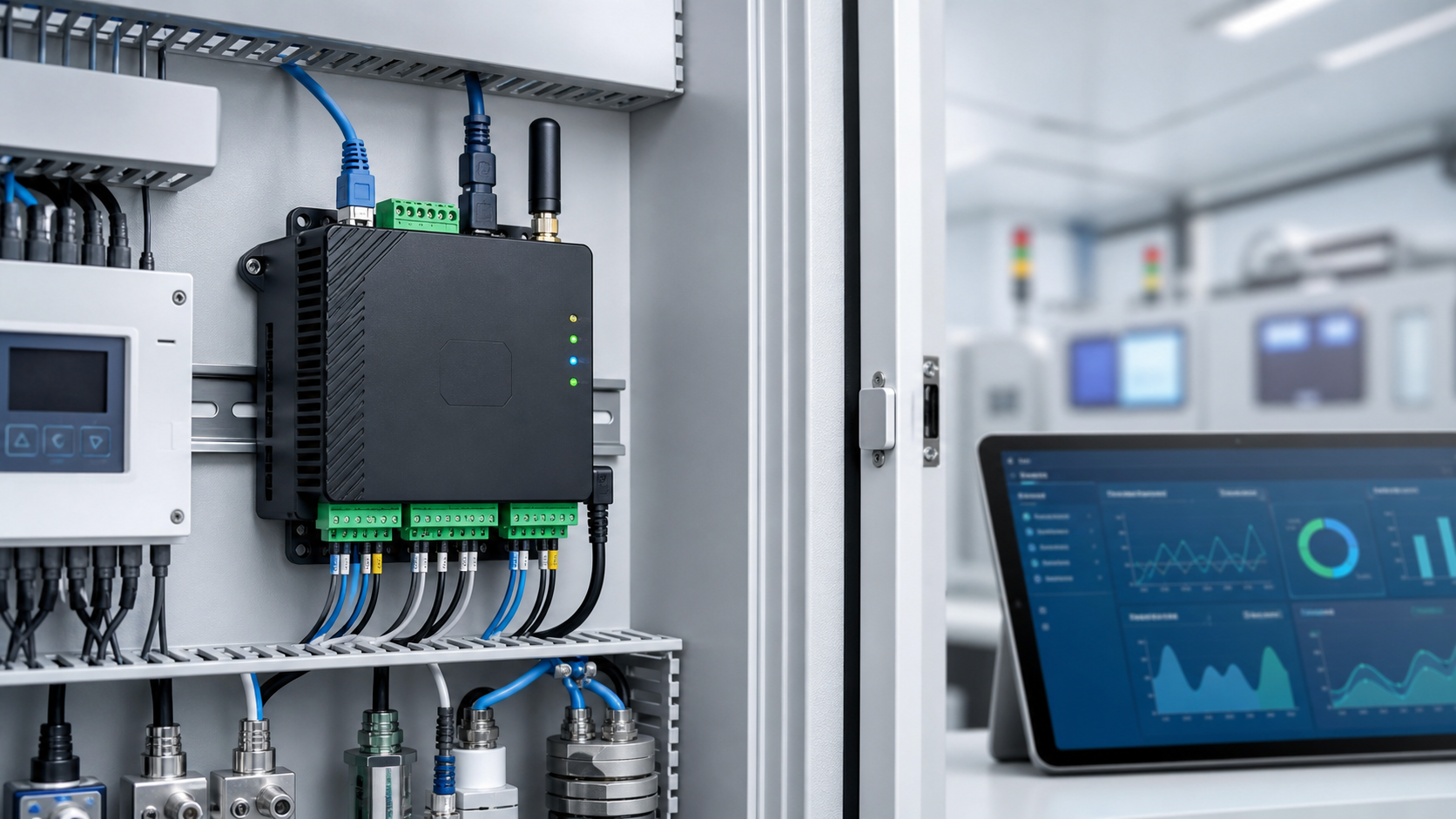
Envitrace X100 OCEMS Data Logger for Direct CPCB Data Transfer
No PC middle layer. Envitrace X100 connects analyzers, flow meters, groundwater telemetry and dust monitors directly to logger-based transmission workflows with local buffering, store-and-forward auto-backfill, alerts and audit-ready records.
- No PC middle layer for CPCB/SPCB transmission
- Store-and-forward with local buffer
- 3-year onboard data storage
- RS-485, RS-232, 4-20 mA, Modbus and TCP/IP retrofit
Use Cases
One logger platform for authority-facing and private monitoring
Buyers usually search by compliance problem: CPCB direct data transfer, missing OCEMS records, CGWA telemetry, dust monitoring, ETP/STP reporting or CEMS stack transmission. This site is structured around those practical search intents.
CPCB/SPCB OCEMS
CPCB compliant direct data transmission workflows for CEMS, OCEMS, ETP, STP and stack monitoring with no PC middle layer.
CGWA and GWA telemetry
Borewell flow, water level, pump runtime and groundwater authority telemetry workflows.
Construction dust
PM10, PM2.5 and dust monitor data logging for construction sites, RMC plants and project dashboards.
Retrofit integrations
Connect existing analyzers and panels without analyzer replacement or routine panel rewiring.
CPCB Buying Problem
Direct transfer matters when a PC or network gap can become a notice
Older OCEMS setups often depend on a local Windows PC, manual software layer or unstable network route before data reaches a board-facing server. That creates preventable risk: edited files, software crashes, delayed uploads, offline station flags and disputes over who caused missing records.
- PC-based upload risk and operator dependency
- Network or CPCB/SPCB portal outage risk
- Missing data and station offline pressure
- Analyzer compatibility concerns during retrofit projects
Envitrace response
Place the logger at the analyzer or PLC handoff, keep timestamped records on device storage, retry failed posts, backfill after outages and give the operations team dashboard visibility before a missing-data issue becomes a compliance escalation.
Architecture
No PC direct transfer architecture with local resilience
Envitrace X100 is designed for direct logger-based transmission: readings are collected from the analyzer or PLC, timestamped, buffered during network or portal issues, and pushed once connectivity returns.
Analyzer or PLC
CEMS, OCEMS, ETP/STP analyzers, flow meters, dust monitors, PLCs and RTUs.
Envitrace X100
Industrial logger collects, validates and timestamps readings without a PC middle layer.
Local buffer and retry
Store-and-forward and auto-backfill protect records during WAN or portal downtime.
Envitrace dashboard
Station health, SIM visibility, alerts, reports and proof of posting.
CPCB/SPCB workflow
CPCB, SPCB, RTDMS, CGWA or state authority reporting where project scope requires it.
Why Envitrace X100
Built for sites where missing data becomes a compliance problem
Auto-retry and backfill
Detects posting failures, queues rejected payloads and resends when the receiver path is available.
No analyzer change required
Integrates with existing analyzers, flow meters, PLCs, RTUs and panels over standard industrial interfaces.
Remote support ready
Secure VPN support helps engineers review diagnostics, logs and configuration without routine site visits.
Multi-path connectivity
Ethernet, Wi-Fi and 4G dongle options support harsh network conditions at industrial sites.
Dashboard and alerts
Envitrace Console tracks station online/offline status, last data time, SIM/data usage, threshold events and reports.
Vendor friendly
Analyzer vendors, O&M teams and consultants can use GPMS logger and platform support for client deployments.
Buyer Questions
What buyers should check before choosing a CPCB logger
- Direct CPCB/SPCB posting without a PC middle layer
- Store-and-forward during internet or portal downtime
- RS485, Modbus and 4-20 mA retrofit for existing analyzers
- Dashboard visibility, alerts, audit logs and posting status
- Commissioning support for station IDs and parameter mapping
No public price because the site decides the configuration
Logger cost depends on analyzer outputs, station count, network condition, panel readiness, board workflow and commissioning scope. GPMS quotes after a technical fitment review rather than publishing a one-size starting price.
No competitor names or public comparison claims are used; the site focuses on buyer requirements and Envitrace fitment.
Review CPCB fitmentRequirement Fit
Neutral CPCB data logger buying checklist
| Buyer requirement | Why it matters | Envitrace X100 response |
|---|---|---|
| Direct CPCB/SPCB posting | Reduces dependence on editable local PC software. | Logger-based transmission workflow configured for project board requirements. |
| Store-and-forward during outage | Network or receiver downtime should not create permanent data gaps. | Local buffer, retry and auto-backfill positioning with timestamped records. |
| RS485/Modbus/4-20 mA retrofit | Most plants already have analyzers, PLCs, RTUs or flow meters. | Fitment review for RS-485, RS-232, 4-20 mA, Modbus TCP and custom TCP/IP. |
| Dashboard, alerts and audit logs | Teams need proof of last data, station health and failed-post visibility. | Envitrace dashboard for station status, reports, alerts, SIM/data visibility and support review. |
Search Intent
What people search before buying a compliance logger
- CPCB compliant data logger for direct data transfer
- CGWA flow meter telemetry for borewell monitoring
- Construction dust monitor logger for PM10 and PM2.5
- RS485 Modbus data logger for existing analyzers
- Store and forward data logger with zero data loss positioning
Introductory compliance support
For qualified projects, GPMS can scope remote-only or on-site commissioning support and payment milestones around delivered hardware and live dashboard verification.
Final pricing, deployment scope and regulatory applicability are confirmed after site and authority requirement review.
Share site detailsContact
Request a logger configuration review
Share your station type, authority requirement, analyzer make/model and network condition. GPMS will recommend a logger and Envitrace dashboard workflow.